What is a dedicated YouTube AI tool? A dedicated YouTube AI tool is software built specifically for video creators, not general text chat. It works by analyzing your channel's existing videos, retention patterns, and voice to generate scripts, thumbnails, and assets in one workflow. The key benefit is content that sounds like you and is structured for watch time, not generic AI prose. That difference is the heart of the Creator AI vs ChatGPT question for YouTubers.
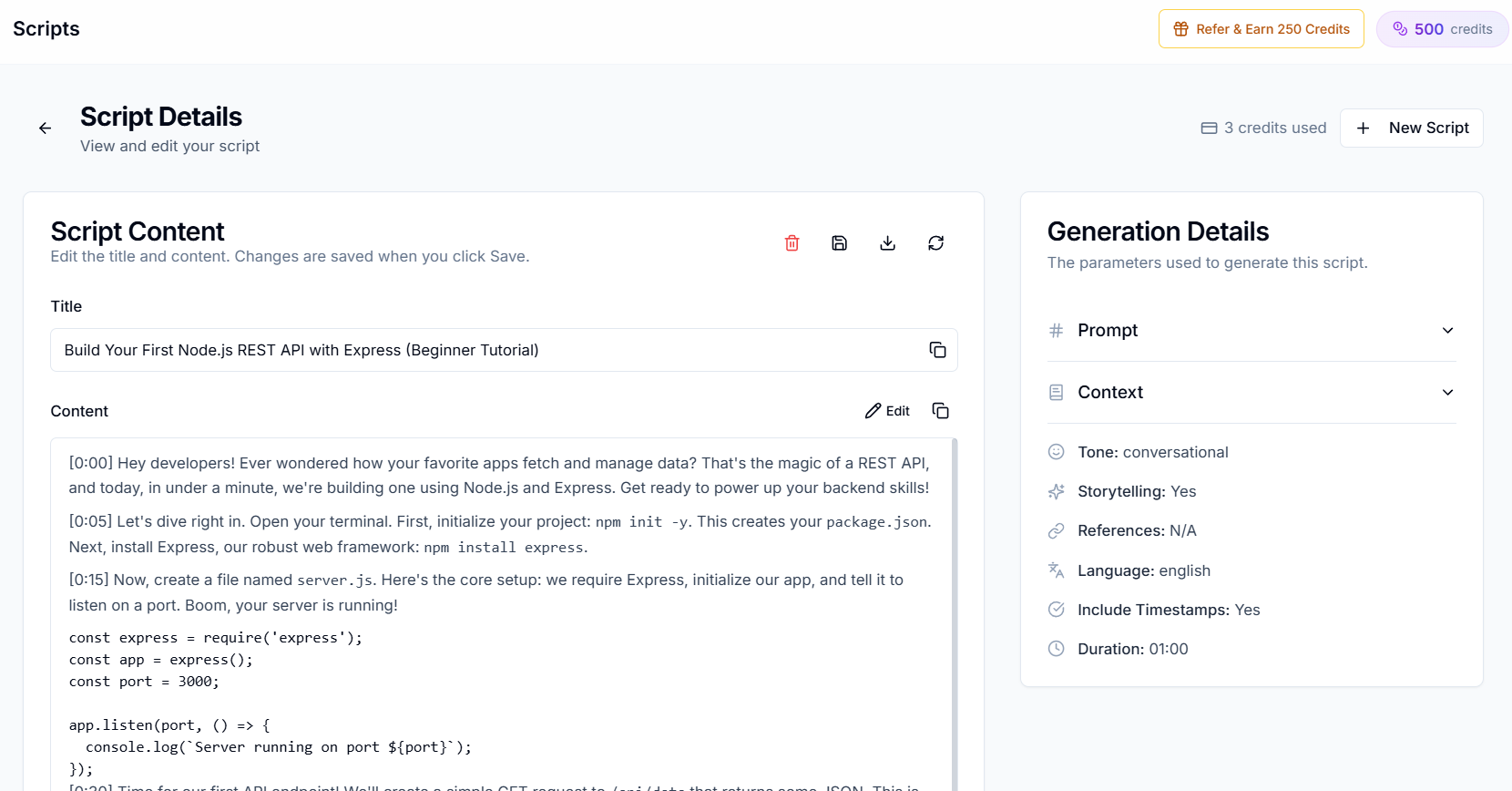
You just spent three hours writing a YouTube script in ChatGPT. It's grammatically perfect. It sounds nothing like you. And you already know your regular viewers will feel it the moment you hit record.
That gap, between "technically correct" and "authentically you", is exactly why the Creator AI vs ChatGPT debate matters in 2026. Generic AI wasn't built for YouTube. It was built for everything.
YouTube-Specific AI vs ChatGPT: The Core Difference
ChatGPT is a Swiss Army knife. It writes emails, debugs code, summarizes PDFs, and drafts blog posts. Impressive, but none of that requires a hook in the first 10 seconds, a pattern interrupt at minute four, or a thumbnail that stops the scroll.
A youtube specific ai vs chatgpt comparison comes down to three layers:
| Layer | ChatGPT | Dedicated YouTube AI (Creator AI) |
|---|---|---|
| Voice | Prompt-based, resets each session | Learned from your actual videos |
| Structure | Written prose | Spoken delivery + retention hooks |
| Workflow | Text only | Script → thumbnail → subtitles → dubbing |
| Time to usable draft | 15 to 45 min of prompting + editing | 2 to 3 minutes |
| Algorithm awareness | None | Hooks, open loops, CTAs built in |
Before: You copy-paste your topic into ChatGPT, add tone instructions, regenerate three times, then spend 45 minutes rewriting paragraphs so they sound like something you'd actually say on camera.
After: Creator AI generates a script in your voice in two minutes, hook, body sections with open loops, and a natural CTA already placed, ready to record.
Where ChatGPT Falls Short for YouTube Creators
1. No Persistent Voice Memory
Every ChatGPT session starts blank. You re-explain that you're sarcastic, that you open with personal stories, that you use short punchy sentences. The AI approximates, it never truly learns.
Creators like Marcus (180K finance channel) told us he was spending 40 minutes per script just "de-roboting" ChatGPT output before he switched to voice-matched generation. The problem wasn't the ideas, it was the delivery.
Creator AI connects to your YouTube channel, analyzes 3 to 5 representative videos, and builds a persistent voice profile: your vocabulary, pacing, humor, intro patterns, and transition style. That profile applies to every script, thumbnail brief, and story blueprint you generate.
See how AI learns your YouTube voice →
2. No Retention-Optimized Structure
YouTube's algorithm rewards watch time and audience retention, not word count. According to YouTube's creator guidance, videos that hold viewers past the first 30 seconds get dramatically more recommendations.
ChatGPT writes complete, well-structured paragraphs. That's the opposite of what retention demands:
- A curiosity hook in the first 10 seconds
- Open loops that tease payoffs later
- Pattern interrupts every 60 to 90 seconds
- CTAs placed at engagement peaks, not at the start
Before: Your ChatGPT script opens with "In today's video, we'll be discussing five productivity strategies..." Viewers leave by second 12.
After: Creator AI opens with something like: "I wasted six months on productivity advice that made me worse, and the fix took me ten minutes." Same topic. Completely different retention curve.
3. One Output Type, Five Tools Still Needed
With ChatGPT, you get text. For a complete YouTube video you still need:
- Canva or Photoshop for thumbnails
- A subtitle tool for captions and SEO
- A dubbing service for multilingual reach
- A separate app for topic research
- Manual story structuring before you even prompt
Before: Five tabs, five subscriptions, zero context shared between tools.
After: Creator AI runs research → story blueprint → script → thumbnail → subtitles → dubbing from one dashboard. Your thumbnail matches your hook. Your subtitles index the same keywords your script targets.
Head-to-Head: Real Workflow Comparison
Let's walk through creating a video on "How to Stay Focused While Working From Home."
ChatGPT Workflow
- Write a detailed prompt with tone, length, and audience (5 min)
- Generate, review, regenerate twice (10 min)
- Manually add hook, cut formal language, fix pacing (25 min)
- Open Canva for thumbnail (20 min)
- Export subtitles separately (15 min)
- Total: ~75 minutes, and the script still sounds generic
Creator AI Workflow
- Enter topic, voice profile already loaded (30 sec)
- Review voice-matched script with retention structure (3 min)
- Generate matching thumbnail (1 min)
- Export subtitles as SRT/VTT (2 min)
- Total: ~7 minutes, script sounds like you, assets aligned
| Aspect | ChatGPT | Creator AI |
|---|---|---|
| Script tone | Generic, formal | Matches your voice |
| Hook quality | Basic intro paragraph | Retention-optimized curiosity hook |
| Thumbnail | Not available | AI-generated, on-brand, 1280×720 |
| Subtitles | Not available | Auto-generated, SRT/VTT export |
| Dubbing | Text translation only | 24+ languages with AI voices |
| Editing time after generation | 30 to 45 min typical | 5 to 10 min polish |
When ChatGPT Still Makes Sense
ChatGPT isn't useless for creators. It's the wrong default for production scripts. The same logic applies to Claude, which is arguably a better pure writer than ChatGPT but still has no channel memory, thumbnails, or subtitles, and to Gemini and every other general chatbot.
Keep ChatGPT (or Claude) for:
- Brainstorming topic angles and title variations
- Summarizing research papers or competitor articles
- Writing channel emails, community posts, and sponsor pitches
- One-off creative experiments outside your regular format
Switch to dedicated YouTube AI for:
- Weekly script production at scale
- Voice consistency across a growing channel
- Full-video asset generation (script + thumbnail + subtitles)
- Retention-first structure without manual framework work
Try generating your first script free, no credit card →
The Cost of Staying on Generic AI
Let's add up a typical fragmented workflow:
| Tool | Monthly Cost |
|---|---|
| ChatGPT Plus | $20 |
| Canva Pro | $13 |
| Subtitle tool | $10 to 30 |
| Dubbing service | $30 to 100 |
| Idea research tool | $10 to 20 |
| Total | $83 to 183/month |
Creator AI consolidates scripting, thumbnails, subtitles, dubbing, and ideation into one subscription, less friction, better output, and no context-switching between five apps.
What Creators Actually Experience
The pattern we hear repeatedly: ChatGPT is fine for outlines, terrible for final scripts.
Creators like Jordan (420K gaming channel) cut their scripting time from a full day to under an hour, not because AI writes faster, but because the AI already knows their voice. No more "make it sound more casual" loops. No more deleting corporate-sounding transitions.
Another creator in the productivity niche reported her average view duration climbed after switching from generic AI scripts to retention-structured, voice-matched drafts. The topics didn't change. The structure and authenticity did.
Check if Creator AI supports your niche →
Creator AI vs ChatGPT: Feature-by-Feature
Here is the Creator AI vs ChatGPT breakdown at a glance, capability by capability:
| Capability | ChatGPT | Creator AI |
|---|---|---|
| Learns your voice from videos | Persistent voice profile | |
| Retention hooks & open loops | Manual | Built into every script |
| YouTube thumbnail generation | CTR-optimized, 1280×720 | |
| Subtitle generation & export | SRT/VTT + burn-in | |
| Video dubbing (24+ languages) | Text only | AI voice dubbing |
| Topic & trend research | Manual | Built-in ideation |
| Story blueprint planning | Proven narrative structures | |
| Prompt engineering required | Heavy | None, describe your topic |
5 Things a YouTube AI Tool Does That ChatGPT Structurally Cannot
These are not feature gaps that a better prompt closes. They are things a text-only chat model has no mechanism to do.
1. Learn your voice from your actual videos. ChatGPT can imitate a tone you describe. It cannot watch your last five uploads, extract your vocabulary, pacing and running jokes, and reuse them next month. A YouTube AI tool builds that profile once and keeps it.
2. Produce the thumbnail. ChatGPT's image generation has no 1280x720 preset, no CTR rules, no memory of your channel's template. The packaging half of the upload is simply out of scope.
3. Cut and export subtitles. No audio input, no timing, no SRT or VTT file. You are exporting the video, uploading it somewhere else, and fixing timestamps by hand.
4. Dub the video into other languages in your voice. Translation of a script is text. Dubbing is audio with your cloned voice and preserved timing, which is a different pipeline entirely. See YouTube auto-dubbing vs AI voice cloning.
5. Keep the whole video in one place. Idea, script, thumbnail, captions, dub. In ChatGPT, four of those five happen in other tabs, and the context is lost at every handoff.
Where ChatGPT Genuinely Helps YouTube Content Creation
Being fair to it matters, because the hybrid workflow below is the one we actually recommend.
Brainstorming. Twenty title angles in thirty seconds is a real win, even if you throw eighteen away.
Metadata drafting. Descriptions, tags and chapter lists are formulaic text, which is exactly what a general model is good at.
Rough outlines. Structure before voice. ChatGPT is fine here because the voice comes later.
Research compression. Paste three articles, ask for the five claims worth fact-checking, verify them yourself.
Where it fails is everything downstream of "now make it sound like me and hold attention for eleven minutes".
The Hybrid Workflow That Actually Works
Most creators do not need to choose. They need to stop asking one tool to do both jobs.
- ChatGPT for the messy front end: topic angles, competitor summaries, the first ugly outline.
- A YouTube AI tool for the parts where voice and retention decide the outcome: the script draft, the hooks, the thumbnail, the captions, the dub.
- You for the final pass. Nothing on this list removes that step, and any tool that claims otherwise is overselling.
That split is why "should I cancel ChatGPT" is the wrong question. Keep it for the twenty dollars of brainstorming. Stop paying for it in rewrite hours.
Does YouTube Penalize ChatGPT-Written Content?
No, and this is worth stating plainly because the myth costs creators a lot of anxiety.
YouTube's policies target inauthentic and mass-produced content, not the tool used to write it. A script drafted with AI and then edited, performed and published by a real creator is not the target. Repetitive, automated uploads with no human input are.
The practical risk is not a penalty. It is retention. Generic AI prose loses viewers in the first thirty seconds, and watch time is what the recommendation system actually responds to. The algorithm does not know you used ChatGPT. It knows people stopped watching.
The Bottom Line
Generic AI tools are general-purpose hammers. In the Creator AI vs ChatGPT matchup, Creator AI is a precision instrument built for one audience: YouTube creators who refuse to sound like everyone else.
The Creator AI vs ChatGPT comparison isn't about which AI is "smarter." It's about which tool understands that YouTube is a retention game played in your voice, with visuals, captions, and global reach bundled into every upload.
Creators who figure out how to sound authentic on AI-generated scripts in 2026 will publish faster and grow faster. The ones who keep fighting generic AI will keep rewriting. Where do you want to be in six months?
Keep Reading
- ChatGPT for YouTube Scripts Review (2026)
- Best AI Script Writer for YouTube in 2026
- See how Creator AI trains on your channel → · Compare features · View pricing