What are the best AI tools for faceless YouTube channels? There is no single tool, because faceless YouTube channels are a pipeline with eight stages, and each needs a different answer. The script stage matters most, because there is no face or personality on screen to carry a weak one. And the stage nobody exploits is translation: with no lip sync to solve, going multilingual is cheaper for faceless channels than for anyone else on the platform.
What faceless YouTube channels actually need
Eight stages, in order: ideation → script → voiceover → footage → edit → thumbnail → subtitles → translation.
Most roundups for faceless YouTube channels list ten tools and let you work out where they fit. This one is organised by stage, because the stack you need depends on which stages you are weak at, not on which tools have the best marketing.
One thing before the list. On a faceless channel, the script carries everything. An on-camera creator can hold a mediocre script together with delivery, timing, and personality. You have narration over stock footage. If the writing is generic, there is nothing else in the frame to save it, which is why this article spends more space on stage 2 than on stage 4.
How we evaluated
Does it cover a stage completely or partially, what the free tier honestly gives, cost at four videos a month, and whether it produces output you would publish without a rescue pass. No affiliate relationships with anything listed.
Master table
| Tool | Stage | Free tier | Price shape |
|---|---|---|---|
| Creator AI | Ideation, script, thumbnail, subtitles, dubbing | 500 credits/mo, no card | Credits |
| 1of10 | Ideation | Limited | Subscription |
| Google Trends | Ideation | Free | Free |
| ChatGPT | Script drafting | Free tier | Subscription |
| ElevenLabs | Voiceover | Limited | Credits |
| Murf.ai | Voiceover | Limited | Subscription |
| Pexels / Storyblocks | Footage | Pexels free | Free / subscription |
| Runway | Generated footage | Limited | Credits |
| CapCut | Editing | Generous | Freemium |
| Canva | Thumbnails | Generous | Freemium |
Stage 1: Ideation and research
Creator AI Ideation runs live web search on your topic, produces a trend snapshot, scores the opportunity, and cites sources you can check. For a faceless channel in a research-heavy niche, the citations are the useful part. You are going to need sources in the script anyway.
1of10 finds videos that dramatically outperformed their channel baseline, which is the fastest way to spot a format working in your niche.
Google Trends is free and tells you whether interest is rising or you are late.
Stage 2: Scripting, the stage that decides everything
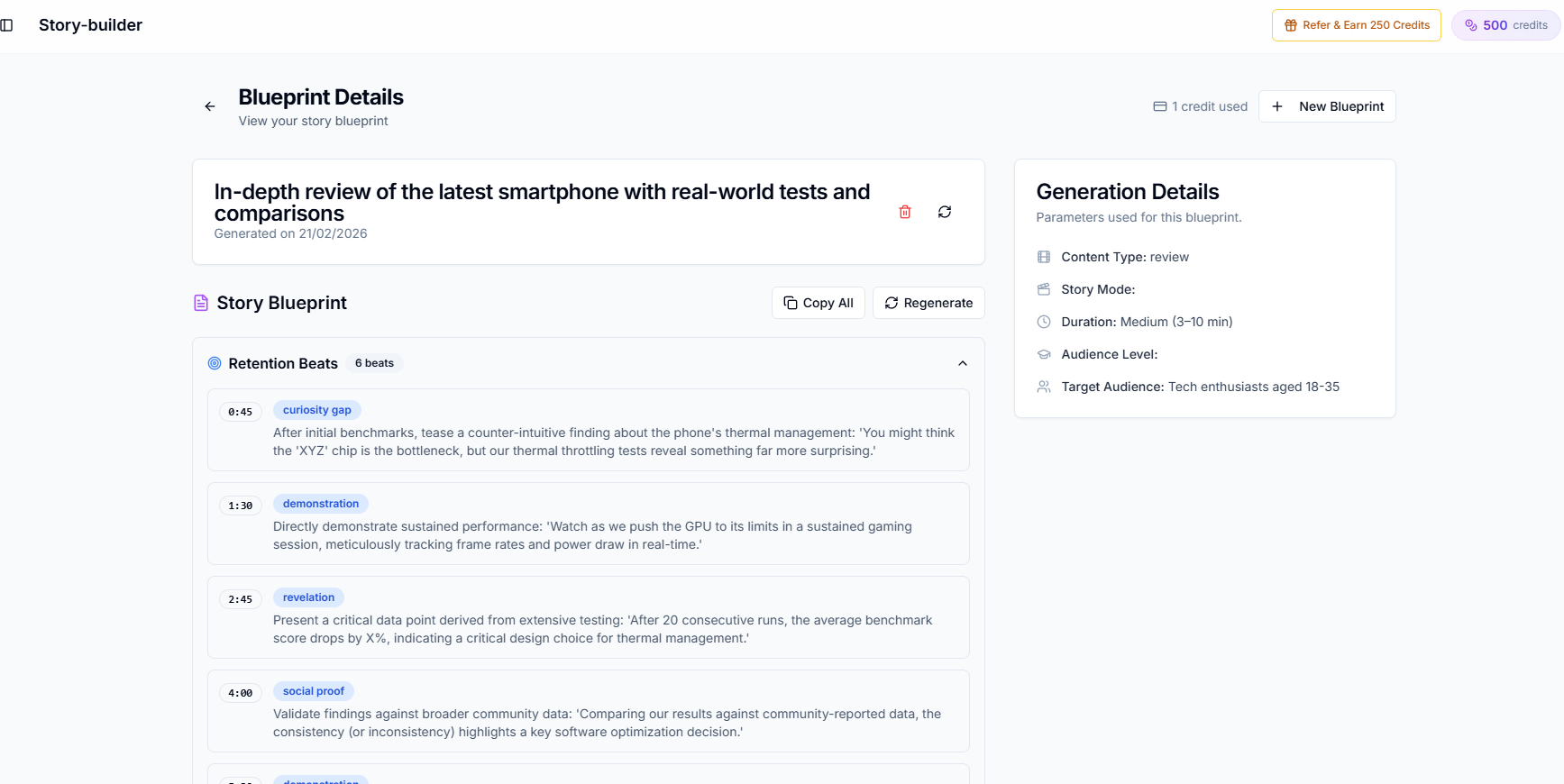
Creator AI generates the script through a voice profile trained on 3 to 5 of your own videos, with story structure and retention scoring underneath it.
Here is the caveat that matters for this audience specifically: a day-one faceless channel has no videos to train on. You will start without a voice profile and build one after your first few uploads. Until then you get structure, pacing, and retention scaffolding but not voice matching. Anyone telling you otherwise is selling you something.
ChatGPT is genuinely good at divergent drafting: forty angles on a topic in a minute. It is weak at sounding like a specific channel, which for faceless content means your videos sound like everyone else's videos, because everyone is using the same base model. Our two-tool workflow covers the handoff that fixes this.
Stage 3: Voiceover
ElevenLabs is the quality leader. For faceless channels the voice is the personality, so this is not a stage to economise on.
Murf.ai offers a broad voice library at a lower price point and is what Creator AI uses for dubbing under the hood.
The mistake to avoid: picking the most popular preset voice. Viewers in your niche have heard it on forty other channels this month, and that recognition works against you.
Stage 4: Footage
Pexels and other free stock libraries cover more than beginners expect. Storyblocks covers the gap when free libraries repeat. Runway and similar generative tools produce clips that do not exist anywhere else, which is increasingly the differentiator as stock footage saturates.
Stage 5: Editing
CapCut is free, fast, and mobile-capable, which matters more than it should for this audience. A large share of faceless creators never open a desktop editor. Our CapCut workflow guide covers the subtitle handoff specifically.
Descript if you prefer editing by text.
Stage 6: Thumbnails
Creator AI generates concepts from your script's hook rather than after the edit, which is the right order. See why the thumbnail should come from the hook.
Canva is where most people finish the design.
Stage 7: Subtitles
Creator AI produces auto-timed, editable subtitles with SRT/VTT export and burn-in, capped at 200 MB or about 10 minutes per upload. The editing step matters for faceless content specifically, because narration is full of proper nouns the model will guess wrong.
Submagic and similar tools specialise in styled captions for short-form.
Stage 8: Going multilingual, the argument nobody makes
This is the strongest section in this article and the reason it exists.
Every on-camera creator who dubs a video has a lip sync problem. The mouth moves in English; the audio is in German; viewers notice within seconds. Solving that costs money and never fully works.
Faceless YouTube channels have no face. There is no lip sync problem to solve. A dubbed version of your video is not a compromised version of your video: it is the same video with different narration, indistinguishable in quality from the original.
That means the economics of going multilingual are fundamentally better for faceless channels than for anyone else on YouTube, and almost nobody in this niche acts on it. Dubbing into 24+ languages turns one video into content for a dozen markets, and the marginal cost is a fraction of producing a new video. Work out which languages are worth it with the dubbing ROI breakdown rather than dubbing everything at once.
Three complete stacks
The $0 stack. Google Trends for ideation, Creator AI Starter for scripts and subtitles (500 credits/mo, no card), a free TTS voice, Pexels for footage, CapCut for editing, Canva free for thumbnails, YouTube auto-dubbing for translation. Ceiling: the free credit pool covers roughly four scripts a month, and the free voice will sound like a free voice.
The ~$50 stack. Creator AI on a paid tier for scripts, subtitles, thumbnails, and dubbing; ElevenLabs for voiceover; Pexels plus occasional stock purchases; CapCut free. This is the stack for one to two uploads a week and it is where most serious faceless channels land.
The ~$150 stack. The above plus Storyblocks or Runway for original footage, a higher Creator AI tier for multilingual output at volume, and a paid editor. This supports three uploads a week across several language markets.
What faceless channels get wrong
Same-voice syndrome. Everyone picks the same three preset voices. Pick the fourth.
No narrative structure. Ten facts in a row is a list, not a video. Something has to be at stake by 0:30, which is what story structure for retention is for.
Stock footage as filler. Footage that does not illustrate the sentence being spoken reads as padding, and viewers leave during padding. This is the most common failure mode on new faceless YouTube channels.
Publishing volume over quality. This is the behaviour YouTube's channel monetization policies actually target, and it is also just a worse business.
The tooling for faceless youtube channels is not the hard part any more: the pipeline above is fully covered. The hard part is that the script has to carry a video with no face in it, and that is a writing problem no tool list solves on its own. Start free and see what a structured script does to your retention graph.
Keep Reading
- Best Free AI Script Generator Tools for YouTube Videos
- How to Dub YouTube Videos Into Multiple Languages With AI
- YouTube Video Story Structure for Retention
- 12 Best Free AI Tools for YouTube Creators
- Build the pipeline in one place, start free or see plans.