Why are my YouTube auto captions wrong on the words that matter? Because speech engines guess hardest on vocabulary they have not heard in context: proper nouns, product names, acronyms, and jargon. Overall accuracy of 85 to 95% hides the fact that the missing 5 to 15% is concentrated exactly on the terms you want indexed and understood.
Most creators check their captions once, see recognizable English, and move on. That check is measuring the wrong thing. Here is what to measure instead, and a workflow that stops the same errors recurring every upload.
What the accuracy numbers actually mean
Independent 2026 testing across 50 videos put youtube auto captions at 85 to 95% word accuracy, versus roughly 99% for a human-verified track. Studio recordings with a single speaker held 94 to 96%. Add a second speaker and accuracy fell several points. Put a music bed at 25% volume under the dialogue and it dropped 15 to 20 points.
The distribution matters more than the average. In the same testing, technical jargon was mis-transcribed in about two-thirds of occurrences and proper names in nearly half. A 95% accurate transcript of a 2,000-word video still contains 100 wrong words, and if 60 of them are your product name, your topic keyword, and the tools you reviewed, you have a caption track that describes a different video.
Accessibility researchers have made this argument for over a decade: automatic captions are not automatically accessible, because a caption that says the wrong word is worse than a caption that is missing.
The 5 errors that cost you the most
These are the failure patterns that showed up again and again when we compared youtube auto captions against a corrected track, ordered by how much damage each one does.
1. Proper nouns become phonetic nonsense
Brand names, guest names, place names, and tool names are the first things to break. This is the expensive one, because these are the terms viewers search for.
2. Numbers and versions
"v4.2" becomes "before two." "$1,499" becomes "fourteen ninety nine." In a pricing or spec video, that is the payload of the entire segment.
3. Homophone swaps that read as correct
"Their / there," "affect / effect," "sight / site." Nothing looks broken when you skim, which is why skimming is not an audit.
4. Missing speaker changes
Auto-captions rarely mark who is speaking. In an interview, a viewer relying on captions cannot tell where your answer ends and your guest's begins.
5. Timing drift on long videos
Cues that are perfect at 0:30 can be half a second late by 40:00. Captions arriving after the punchline are a retention problem, not just a polish problem.
The 10-minute caption audit
Do this once per upload, before you publish. It is faster than it sounds because you are not reading the whole transcript.
- Open the transcript, not the video. In YouTube Studio, open Subtitles → the automatic track, and read the text as text.
- Search, don't scan. Ctrl+F your product name, your channel name, every guest name, and your main topic keyword. Fix each hit. This finds the majority of damage in about two minutes.
- Check every number. Prices, versions, dates, statistics. Search for digits.
- Scrub the last 10%. Play the final two minutes with captions on and watch for drift.
- Read three random 30-second stretches. This catches homophones and dropped negations, because a missing "not" reverses your sentence.
- Upload the corrected file. Do not just edit in place and hope; export and upload an SRT so you own the track.
If your videos are consistently failing on the same terms, that is a signal to stop auditing and change the pipeline.
Why YouTube auto captions fail on jargon (and what fixes it)
The failure is structural. An audio-only engine hears a sound and picks the most probable word given the surrounding sounds. It has no idea your channel is about Kubernetes, or that your guest is called Siobhan, or that the tool on screen is spelled "Ahrefs."
The fix is context. Two forms of it work:
Visual context. A model that receives the video rather than an extracted audio track can read the slide, the lower-third, and the on-screen UI. Names written on screen stop being guesses. This is why youtube auto captions and a multimodal transcription pass diverge most sharply on tutorials and reviews: the correct spelling is usually visible in frame.
Vocabulary context. Feeding the engine the script, or the video's own topic, biases it toward the right words. If you wrote the script first, that document is a glossary you already own.
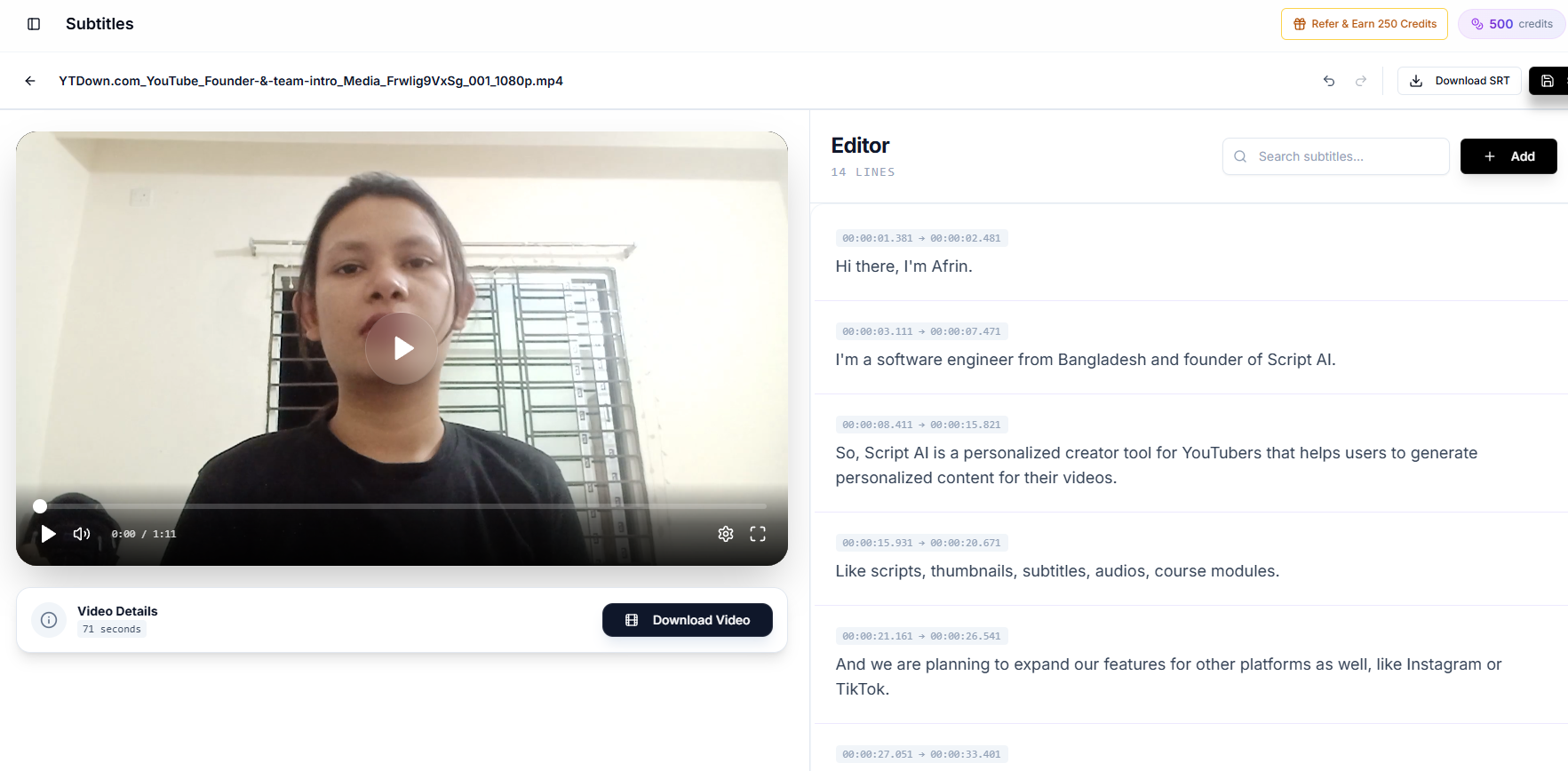
Creator AI's subtitle generation uses the first: the uploaded video goes to a multimodal model, which auto-detects the spoken language, punctuates, tags non-speech audio like [MUSIC] and [LAUGHTER], and caps each cue at roughly 5 to 10 words so lines stay readable. You then correct anything left in an inline editor, download the SRT, or burn the captions into the video for Shorts.
It also translates in the same pass while keeping the original timestamps, which avoids the re-sync problem you get when translation happens as a second step. If you want the audio localized as well, the same upload feeds AI dubbing.
Replacing auto-captions with your own track
Uploading a corrected SRT is a two-minute job and it permanently replaces the automatic guess:
- YouTube Studio → Subtitles → select the video.
- Add language, pick your language.
- Under Subtitles, Add → Upload file, choose your SRT file.
- Review in the editor and Publish.
Repeat per language; YouTube places no limit on the number of caption tracks, and viewers are served the track matching their preference automatically. Google's official subtitles guide documents the full flow, including the supported file formats.
One caution: never delete a published caption track before the replacement is live. The gap is short, but it is a gap in which your video is uncaptioned.
The compliance angle nobody budgets for
If your videos are used for courses, training, or anything an employer or institution touches, accuracy is not a preference. WCAG 1.2.2 requires captions for prerecorded audio, and guidance consistently treats inaccurate captions as failing the requirement. "We enabled automatic captions" is not a defensible position when the captions say something different from the audio.
That is the same reason accuracy pays off commercially. Around 5% of the world's population has disabling hearing loss, and a far larger share of your audience watches with the sound off on a commute. Both groups read whatever your caption track says. If it says the wrong thing, they leave, and the drop-off looks like a content problem in your analytics, not a caption problem.
Build the check into your publishing routine
The durable fix is not a better one-off audit, it is removing the step where a guess becomes the published record. Generate an accurate track as part of production, correct the handful of terms only you would know, upload the SRT, and let the automatic version stay unused.
Do that consistently and youtube auto captions become a fallback you never ship (a safety net for the days you forget, rather than the thing your search visibility and your accessibility both quietly depend on). Then go back through your last twenty uploads and do the same thing, because every one of those videos is still being served to viewers with a caption track written by a machine that had never heard your product name.
Keep Reading
- The Most Accurate AI Subtitle Generator? 7 Tools Tested
- How Subtitles Increase YouTube Views and Watch Time
- How to Improve YouTube Audience Retention and Watch Time
- Generate an accurate, editable caption track for your next upload, start free or see plans.