What is the most accurate AI subtitle generator in 2026? On clean studio English, all seven tools we tested land within a few points of each other, so the marketing accuracy numbers tell you nothing. The gap opens on accents, proper nouns and music beds. The most accurate ai subtitle generator for your channel is the one that holds up on your worst audio, not your best, so this test measures exactly that.
There is a reason "just use the free one" is bad advice and also, sometimes, exactly right. An accurate ai subtitle generator is only as useful as the amount of cleanup it saves you, and that number swings wildly depending on what your videos sound like.
How We Tested for the Most Accurate AI Subtitle Generator
We ran the same three source videos through each tool:
- Clean talking head: one speaker, treated room, no music. The easy case.
- Tutorial with jargon: software names, version numbers, acronyms, and a light music bed under the intro.
- Two-person conversation: overlapping speech, one non-native accent, café ambience.
For each result we measured three things that actually matter: word accuracy on nouns (not overall WER, which flatters every engine), timing drift by the end of the video, and minutes spent editing before the track was publishable.
That third number is the one nobody publishes, and it is the one that decides whether a tool is worth its price.
The seven tools, compared
| Tool | Best for | Pricing model | Translation | Editing burden |
|---|---|---|---|---|
| YouTube Studio | Free baseline | Free, unlimited | Auto-translate only | High on jargon |
| Creator AI | Subtitles + translation in one workflow | Credits, included in plan | Yes, single pass | Low |
| Descript | Creators already editing in Descript | $16 to $24/mo, hour-capped | Add-on | Low |
| Happy Scribe | Accuracy-critical work | $0.20/min AI, from $2.00/min human | Yes | Very low (human tier) |
| Rev | Volume teams | Seat + minute bundles | Yes | Low |
| VEED | Styled social captions | Subscription, minute-capped | Yes | Medium |
| Submagic | Short-form caption styling | Subscription | Limited | Low, but narrow scope |
1. YouTube Studio (the free baseline)
Free, unlimited, and already attached to your video. Testing across 2026 puts YouTube's automatic captions in the 85 to 95% accuracy range on clean audio, and independent accessibility researchers have argued for years that this is not good enough to count as accessible without a human pass.
On our clean talking head it was genuinely fine. On the jargon tutorial it mangled product names and version numbers, which is precisely the vocabulary you most want indexed for search. Start here, but audit before you publish.
2. Creator AI
The differentiator is that the model watches the video rather than only hearing it. On-screen text, slides, and lower-thirds give it context, so product names spelled out in the video get transcribed correctly instead of phonetically, the single biggest failure mode of audio-only engines.
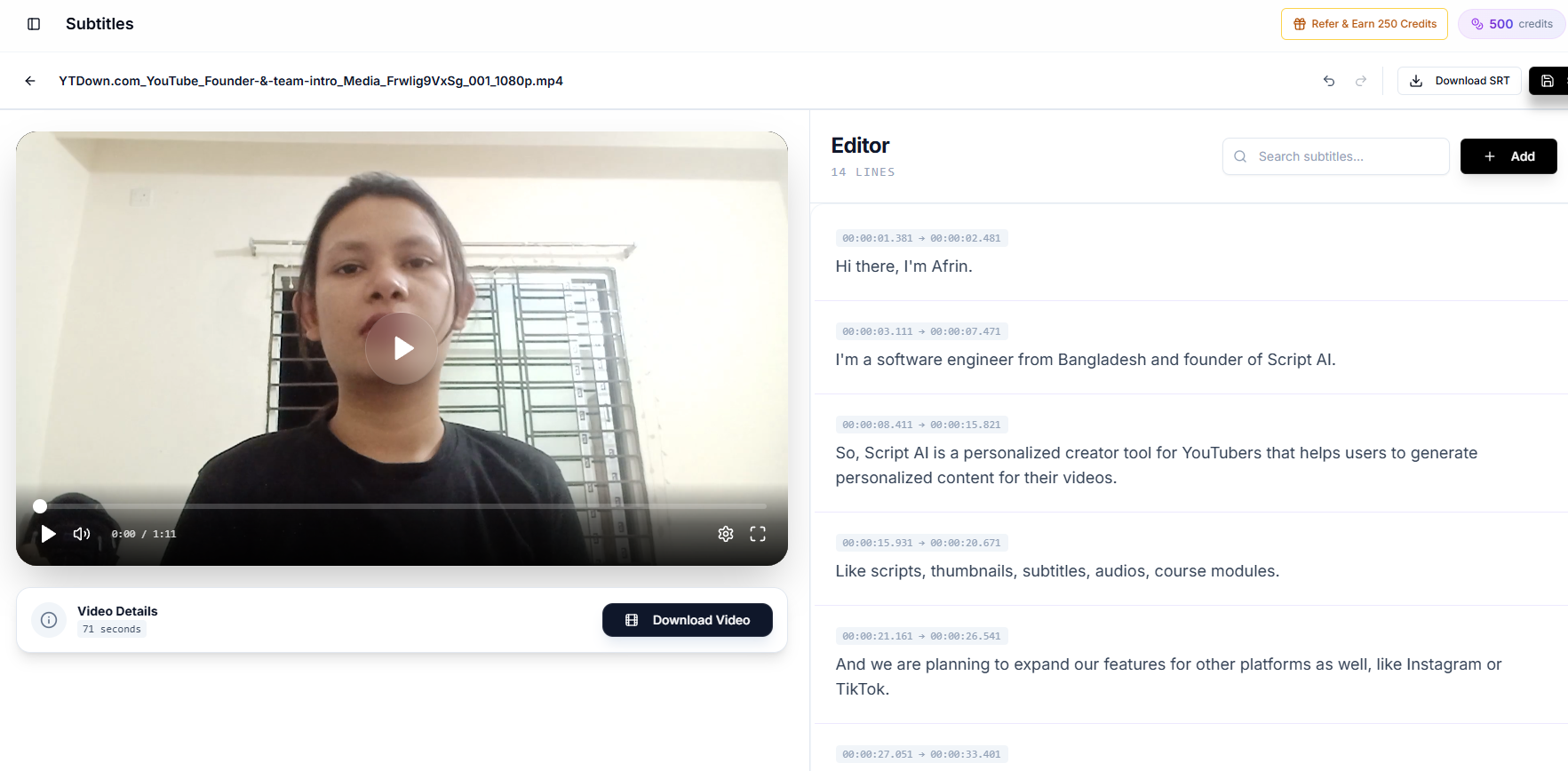
It also transcribes and translates in one pass, keeping the original timestamps rather than re-timing a translated track. You upload directly from the browser, edit the transcript inline, then download the SRT or burn the captions into the video for Shorts. Free accounts handle videos up to 100MB and 10 minutes; paid plans go to 2GB and 45 minutes.
Pricing is credit-based rather than per-minute, and the same credits cover scripting, thumbnails, and dubbing. See pricing for the tiers.
3. Descript
Excellent if Descript is already your editor, because the transcript is the timeline. Free gives you 1 hour of media per month, with Hobbyist at $16 and Creator at $24 on annual billing. The catch is the hour cap: a weekly long-form channel burns through Creator's 30 hours faster than it looks once you count re-uploads and re-cuts.
4. Happy Scribe
The honest choice when a mistake is expensive. AI credits run $0.20/minute, with human-verified subtitles from $2.00/minute at a claimed 99% accuracy. For a 20-minute video that is $4 automated or $40 human: real money weekly, but cheap insurance for a course module or a client deliverable.
5. Rev
Built for teams and volume. Rev's plans bundle seats with large AI-minute allowances (Essentials starts around $25.49 per seat/month for 5,000 AI minutes). Overkill for a solo creator; sensible for an agency captioning a dozen channels.
6. VEED
Strong on styled, animated captions and a decent browser editor. Plan minutes are the constraint: subtitle allowances are metered separately from editing, and it is easy to hit the ceiling mid-month.
7. Submagic
Genuinely good at short-form caption styling and nothing else. It expects an already-cut clip and adds captions to it. Reviewers consistently note the free tier's 90-second, watermarked, 3-video limit. Useful as a styling layer, not as your transcription engine.
Where Accuracy Actually Broke: Accents, Not Audio Quality
This is the finding that changed how we pick tools. On the clean talking-head video, every engine was fine. On the two-person conversation with a non-native accent and café noise, the spread was large enough to change which tool we would recommend.
Three patterns held across all seven:
Accented English degrades worse than noisy English. A clean recording of a strong regional or non-native accent produced more errors than a noisy recording of a neutral one. Engines are trained mostly on North American and British speech, so the failure is in the model, not the microphone. Buying a better mic does not fix it.
The errors are confident, not garbled. An accurate AI subtitle generator that is unsure will still write a plausible English word. "Vertex" becomes "vortex", "Nahar" becomes "no har". Because the output reads fluently, these survive a skim-read and end up published, which is worse than obvious nonsense.
Recovery matters more than raw accuracy. After a mis-heard word, weaker engines drift for the next sentence, and timing slips with it. Better ones lose the word and re-anchor immediately. Over a 20-minute video, that difference is most of your editing time.
What to do about it. Give the tool your vocabulary up front if it accepts a glossary, keep proper nouns on screen where a multimodal model can read them, and test any tool on 60 seconds of your own accent before subscribing. If you publish in accented English, see our guide to fixing YouTube auto-caption errors for the correction pass that follows.
What Makes an Accurate AI Subtitle Generator, and What Breaks One
After three videos across seven tools, the ranking had almost nothing to do with the accuracy percentage on the marketing page. Four things predicted the editing burden:
Proper nouns. Independent testing found technical jargon mis-transcribed in roughly two-thirds of occurrences and proper names wrong nearly half the time on auto-captions. If your niche has vocabulary (and every niche does), this is where your minutes go. An accurate ai subtitle generator that can see on-screen text has a structural advantage here, because the words are often written on the slide.
Line length. A tool that dumps 20-word lines produces captions that cover a third of the frame. Good output caps each cue at roughly 5 to 10 words, readable in two to three seconds. Check this before you check accuracy; it is harder to fix in bulk.
Timing drift. Some engines are accurate at 0:30 and half a second late by 18:00. Always scrub to the end of a long video before you trust a track.
Translation timing. Translated text is a different length from the source. Tools that translate as a separate pass re-time the cues and drift; tools that translate inside the transcription pass keep the original timestamps.
The pricing trap: per-minute versus included
Per-minute pricing looks cheap until you multiply. A channel publishing two 20-minute videos a week is 3,466 minutes a year. At $0.20/minute that is roughly $693 annually for captions alone, before translation, and before any human verification.
Bundled models change the arithmetic when subtitles are one of several things you need. If the same subscription also covers scripting, thumbnails, and dubbing, the marginal cost of captioning every video approaches zero, which is what finally makes retroactive captioning of a back catalog realistic. That back catalog pass is one of the highest-return things you can do. See how subtitles boost YouTube views and watch time for what it does to old uploads.
Where Creator AI's subtitle generation differs
Three concrete differences, stated plainly:
- Multimodal input. The video goes to the model, not just an extracted audio track, so on-screen context corrects the words audio-only engines guess at.
- Transcribe and translate in one pass. Auto-detects the spoken language, optionally outputs a target language, and holds the original timestamps.
- Same platform as the rest of production. The subtitle job can attach to the script that produced the video, and the same upload feeds multi-language dubbing when you want audio localization too.
The tradeoffs are equally plain: free accounts cap at 10 minutes, paid accounts at 45, and you need a connected channel or a trained voice profile before the feature unlocks. If you need a 90-minute podcast captioned, Happy Scribe or Rev is the better tool today.
Which Accurate AI Subtitle Generator Should You Pick in 2026?
- You publish clean English talking-head videos and watch every dollar → YouTube Studio, with a five-minute audit pass on names and numbers.
- You edit in Descript already → Descript, until the hour cap bites.
- A caption error would embarrass you in front of a client → Happy Scribe's human tier.
- You want captions, translation, scripts, and dubbing from one subscription → Creator AI.
- You only need styled captions on clips someone else already cut → Submagic or VEED.
The wrong move is picking a tool before you know which of the three test cases your channel actually looks like. Record 60 seconds of your worst-case audio (the noisy one, the one with the jargon) and run it through two candidates before you subscribe to either. Any ai subtitle generator will look excellent on your best footage; you are buying it for the bad footage.
Whatever you choose, publish an SRT rather than relying on auto-captions alone. YouTube's own guide to adding subtitles covers the upload flow, and an uploaded track is indexed with the words you meant rather than the words an engine guessed.
Keep Reading
- How Subtitles Increase YouTube Views and Watch Time
- How to Dub YouTube Videos Into Multiple Languages With AI
- How to Improve YouTube Audience Retention and Watch Time
- Generate and translate captions on your own footage, start free or compare plans.