Creator AI vs TubeBuddy: which one do you need? TubeBuddy for channel management at scale: bulk edits, A/B thumbnail testing, end screens, tag optimization across a back catalogue. Creator AI for content creation: voice-trained scripts, story structure, subtitles, and dubbing. TubeBuddy optimizes videos you have already made. Creator AI makes them.
Search results treat these two as rivals. In daily use they barely touch. The useful version of Creator AI vs TubeBuddy is a map of which tool owns which stage, so you stop paying for overlap you do not have.
What TubeBuddy is genuinely for
TubeBuddy is a channel-management powerhouse, and it earned that position over a decade. Its strengths cluster around operations rather than creation:
- Bulk processing. Update tags, cards, end screens, and descriptions across dozens of videos at once. Nothing else does this as well.
- A/B thumbnail testing. Publish variants, measure CTR, keep the winner. This is the feature people genuinely cannot replace.
- Next Video Ideas and topical analysis. Idea prompts derived from your channel and niche, gated by tier.
- Publishing hygiene. Scheduled publishing, end screen templates, Shorts linking, canned responses for comments.
- In-Studio presence. Like vidIQ, it lives inside YouTube as an extension, so the data is where you already are.
If you run a 400-video back catalogue and want the metadata cleaned up this weekend, TubeBuddy is the answer and this article is over.
What Creator AI is genuinely for
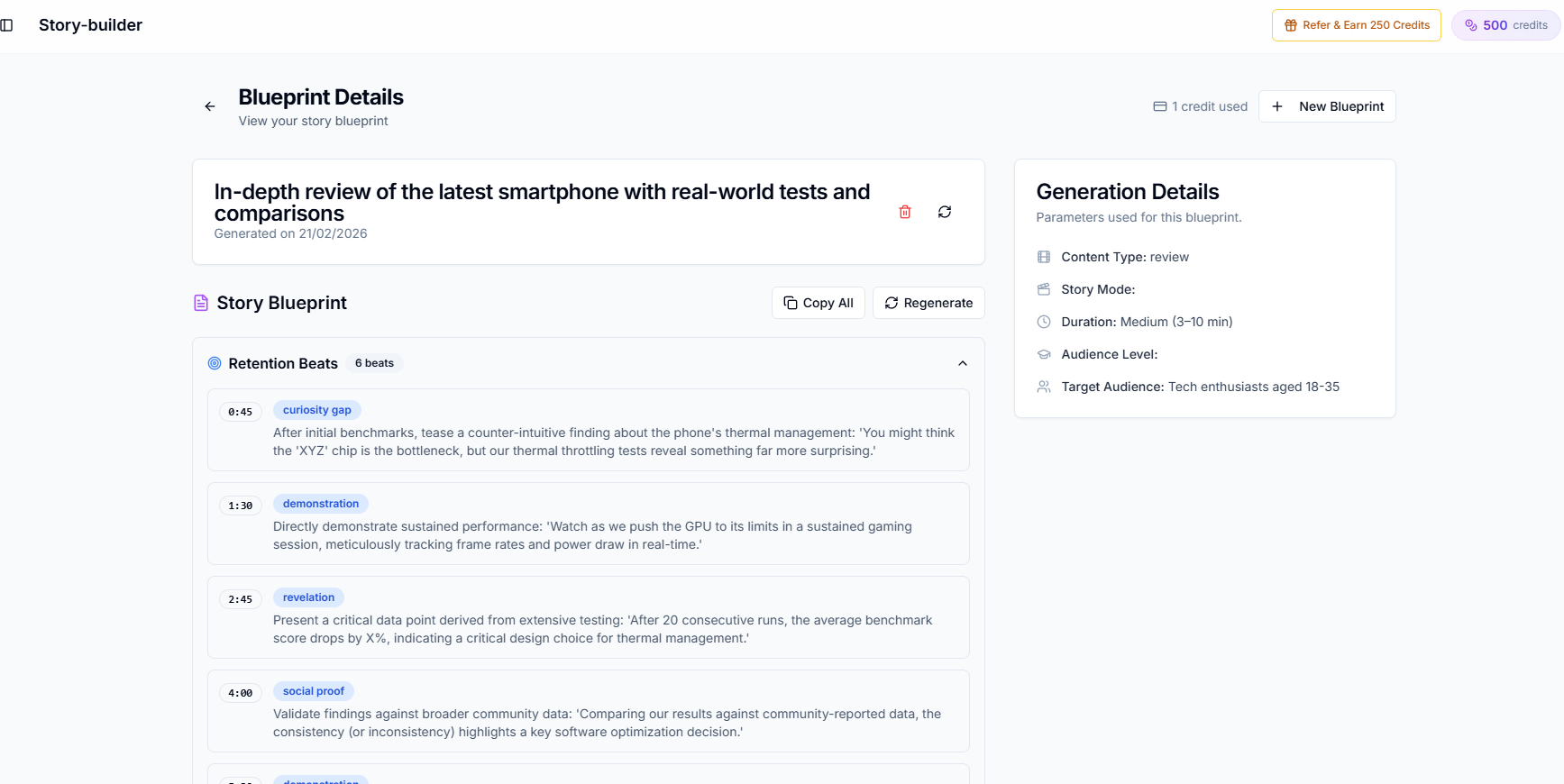
Creator AI is a production suite built around one mechanic: it learns your voice from 3 to 5 of your own videos, then generates through that profile. Ideation with live web search and cited sources, scripts with timestamps, Story Builder for narrative structure and retention scoring, subtitles you can edit and translate, and dubbing into 24+ languages.
Nothing in that list touches your back catalogue. Everything in it happens before you press record, which is why Creator AI vs TubeBuddy is a question about sequence rather than about features.
Creator AI vs TubeBuddy feature matrix
| Capability | TubeBuddy | Creator AI |
|---|---|---|
| Bulk tag and metadata editing | Best in class | |
| A/B thumbnail testing | ||
| End screens, cards, scheduled publishing | ||
| Video ideas | ⚠️ Tier-gated prompts | Live search, scored, cited |
| Full script generation | ⚠️ Basic | Voice-trained, timestamped |
| Voice personalization | ||
| Retention-scored story structure | ||
| Subtitles and translation | SRT/VTT, burn-in | |
| Dubbing | 24+ languages | |
| Thumbnail generation | ⚠️ | |
| Browser extension | Web app | |
| Open source | MIT |
The one place they overlap: video ideas
This is the only row worth arguing about, so let us be specific.
TubeBuddy's Next Video Ideas works from your channel's own history and its topical analysis of your niche. It is fast, it is contextual, and on the lower tier it is capped. The unlock sits on the higher plans (TubeBuddy's plan page has the current gating).
Creator AI's Ideation runs live web search against the topic, produces a trend snapshot, scores the opportunity, and cites its sources so you can check the reasoning. The difference in practice: TubeBuddy tells you what has worked for channels like yours, Creator AI tells you what is happening this week and how contested it is.
Neither one replaces reading your own comments, which is the point of the next section.
What neither tool does well
Both are pattern machines fed by public data, and both are blind to the same things.
Neither does genuine audience research. Neither reads your community tab replies, your Discord, or the three emails that told you exactly what your viewers want next. Neither knows that the video that flopped did so because it shipped the week your niche was arguing about something else.
Tools narrow the search space. They do not know your audience, and any Creator AI vs TubeBuddy comparison that implies otherwise is selling something. Twenty minutes in your own comments still beats an hour in either dashboard.
A/B thumbnail testing: TubeBuddy's real moat
Creator AI generates thumbnail concepts: good ones, tied to your script's hook rather than invented after the edit. It does not split-test them, and split-testing is how you find out whether your instinct was right.
That gap is real, and it is why the honest recommendation for a creator who publishes weekly and cares about CTR is: use Creator AI to generate three concepts from the hook, then use TubeBuddy to test which one wins. Our breakdown of thumbnail mistakes that kill CTR covers what to vary between variants so the test tells you something.
Pricing, normalized to output
TubeBuddy sells tiers; Creator AI sells credits. Comparing the headline numbers compares two different units, so normalize to cost per published video.
- Two videos a month. TubeBuddy's flat tier is cheap per video only if you use the bulk tools; otherwise you are paying for A/B testing alone. Creator AI's free Starter tier likely covers you.
- Weekly uploads. Both land in a similar monthly range. The question becomes which stage is slower for you: packaging or writing.
- Multilingual or 3× weekly. Creator AI's credit model gets better with volume because dubbing and subtitles come out of the same pool. TubeBuddy's price does not change, but neither does what it does for you.
Check both current price pages before deciding; this category re-prices often, and a stale table is worse than none.
Migration: what you actually lose
Almost nothing, and knowing that should lower the stakes of the decision.
TubeBuddy is an extension over YouTube's own data. Your videos, tags, descriptions, analytics, and end screens live in YouTube, not in TubeBuddy. Cancel and you lose the tooling, the saved templates, and your A/B test history. You keep everything the tests were run on.
That asymmetry is why Creator AI vs TubeBuddy rarely has to be an either/or for anyone publishing seriously. The switching cost in both directions is close to zero.
Who should pick which
Large back catalogue, metadata debt, CTR experiments. TubeBuddy. It is doing a job Creator AI has no answer for.
Blank page, slow scripts, no time to write. Creator AI. Optimizing a video you have not written yet is not a strategy.
Weekly upload, global audience, one-person operation. Creator AI first (the dubbing workflow alone changes the size of your addressable audience), then add TubeBuddy when thumbnail testing becomes the next constraint.
The question behind Creator AI vs TubeBuddy is never which tool is better. It is which end of your workflow currently costs you the most hours. Answer that honestly and the purchase decides itself. Start free if the answer is the writing.
Keep Reading
- Creator AI vs vidIQ: Which One Writes in Your Voice?
- 8 Best TubeBuddy Alternatives in 2026 (Tested and Ranked)
- A YouTube Video Ideation System That Beats Guessing
- Write the video before you optimize it, start free or see plans.